


Summary
Pitching analysis software measures different aspects of a pitch. Depending on the tool, that can mean the ball's velocity and spin, the pitcher's body mechanics, the stress on the throwing arm, or some combination of the three, so coaches and performance staff can make better decisions about training.
But not every tool answers the same question. A radar gun that measures spin rate is solving a different problem than a wearable sensor that estimates elbow valgus torque. A smartphone slow-motion app is solving a different problem than a ten-camera markerless motion capture system. The right tool depends on who's using it, what decisions the data needs to support, and how precise those decisions need to be.
The article below helps you make that choice. We start with a framework for choosing a tool, then cover the major options available today, organized into three categories. In the first category we include Theia3D, our extensively validated markerless platform. We also cover KinaTrax, ProPlayAI, and Onform. In the pitch data analytics and wearables category, we cover PitchGrader and Nextiles Arm Sleeve.
How to Choose Pitching Analysis Software for Your Program
What Question Are You Trying to Answer?
The first step is to be specific about what the data is actually for. Different tiers of pitching analysis software address entirely different problems, and before you invest, it helps to identify which of the following questions you’re really trying to answer.
The simplest question is "How hard is the pitcher throwing?" If raw velocity is the only goal, a handheld radar gun is enough. There's no need to invest in a software ecosystem just to get a basic miles-per-hour reading.
A more involved question is "What exactly is the ball doing after release?" Evaluating a slider's spin profile, spin direction, and movement calls for a ball-flight monitor or a radar-based system. These tools measure what the ball is doing and report total spin, true spin rate, spin efficiency, horizontal and vertical break, and release height. They're well suited to pitch design, benchmarking a pitcher's arsenal, and tracking in-game performance.
Then there's the question of "Why is the pitcher losing velo on the same pitch throughout a training session?" Neither of the tools above is sufficient on its own. Radar and ball-flight monitors measure the ball, not the body. To answer mechanical questions, the program needs biomechanical motion analysis software that objectively measures the athlete's physical movements.
Human movement data can reveal the mechanical root cause of a performance drop, whether that's an altered arm slot, a different stride length, or a breakdown in hip-shoulder separation.
A different question altogether is "How can I give a pitcher simple visual feedback without investing in advanced tracking or biomechanics software?" If the goal is simply to help an athlete see what they're doing wrong, a video analysis app is usually the right answer. These apps capture 2D video for slow-motion playback and let coaches draw angle guides or synchronize multiple videos for side-by-side review.
Who Is the Athlete and What Is the Setting?
The right tool also depends on who's using it. For youth and amateur pitchers, low-friction options almost always serve better than a multi-camera mocap setup. A smartphone slow-motion app, an AI-driven mobile tool, or a handheld radar gun is usually the right starting point.
For high school and travel-ball programs, a baseball tracking system like a ball-flight monitor is common, often paired with a 2D video app for visual feedback.
For college and professional programs, biomechanics is increasingly the differentiator. A markerless motion capture system can be deployed in a college bullpen or a major-league stadium, capturing pitchers at full intent in their normal training environment, and producing the body-side data that ball-flight tools can't.
For biomechanics labs and sports science research, the criteria shift again. Validation depth, peer-reviewed accuracy, data export options, and compatibility with existing lab infrastructure such as force plates and EMG matter more than ease of use.
How Much Setup, Hardware, and Operator Time Can You Absorb?
Setup burden directly affects how often a tool actually gets used. A system that requires 30 minutes of calibration every session is a different daily reality than a phone pulled from a pocket.
Marker-based motion capture systems can require 30 minutes or more of marker placement per pitcher, on top of camera calibration. That's acceptable for a research session but rarely workable for a pitching staff working with elite athletes.
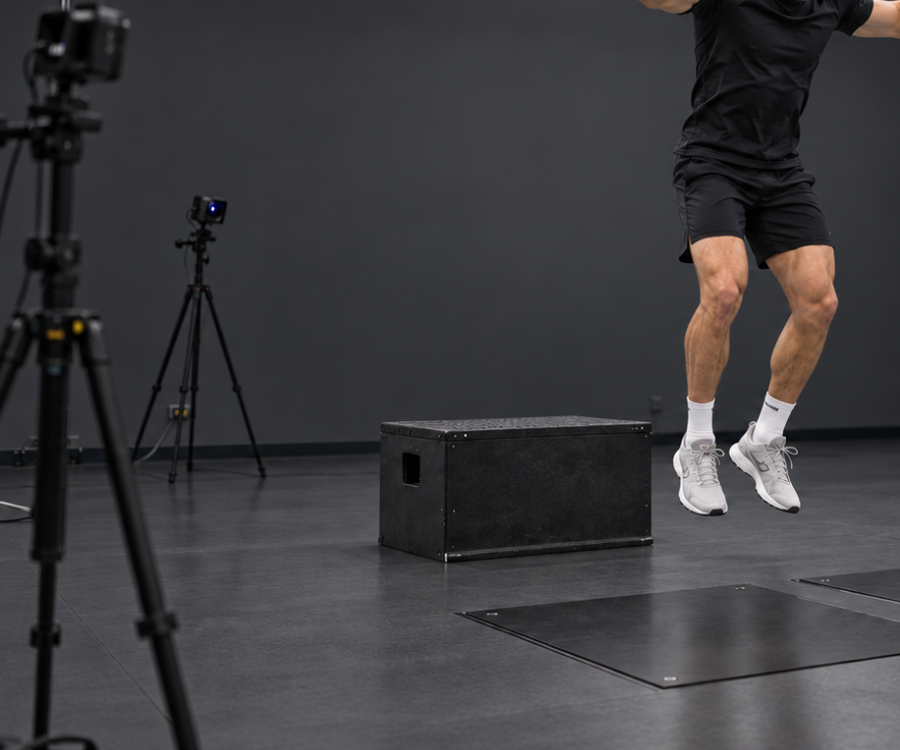
Multi-camera markerless systems require initial camera setup and calibration but no per-athlete preparation. A typical portable deployment takes around 30 minutes for the setup, and once it's running, as many pitchers as needed can rotate through it.
Stadium-installed systems, like Hawk-Eye, are zero-setup once installed. The trade-off is that the systems can't leave the stadium.
Smartphone apps and handheld radar are essentially zero-setup, but the data picture they produce is much narrower.
Has the Software Been Validated for Pitching, Specifically?
Validation depends on what's being measured. A system that's accurate on slower movements may still fall short on a max-effort fastball, where joints rotate faster and in more directions than slower tests ever measure.
For markerless systems, the most credible evidence is direct, peer-reviewed comparison against marker-based motion capture during pitching-specific tasks. For ball-tracking tools, that usually means comparison against a Doppler radar reference system for spin and velocity. Most established ball-flight platforms have published or shared validation data, and any program evaluating one of these tools should ask for it before committing budget.
For consumer-grade AI apps, peer-reviewed validation is rare. This doesn't make the apps useless, but it does mean their outputs should be treated as directional, not authoritative.
When a vendor's validation claim is internal-only or unavailable for review, treat it as unproven until the evidence is shared.
What Are the Data Privacy and Sovereignty Requirements?
Pitcher mechanics are competitive intellectual property. For an MLB or college organization, athlete data ending up on a third-party cloud server is often not acceptable. The first thing to verify is where data is processed and stored. Local on-premise processing gives organizations full control over athlete data and meets the requirements of sports teams and health and research organizations that treat data sovereignty as non-negotiable.
Cloud-based ecosystems are convenient and often appropriate for individual coaches or amateur programs, but they introduce questions about data ownership, retention, and access that need to be answered explicitly. For tools that process video remotely, programs should also ask whether the vendor uses athlete video for model training. The answer affects both the privacy posture and the expected lifespan of any agreement to share data.
How Pitching Analysis Software Compares
Biomechanics and Motion Analysis Platforms
Platforms in this category produce 3D kinematic and kinetic data describing how the pitcher's body moved during the pitch. They're typically used by colleges, professional organizations, biomechanics labs, and player development companies that need quantitative body data, not just visual or ball-flight data.
Theia3D (Theia Markerless)
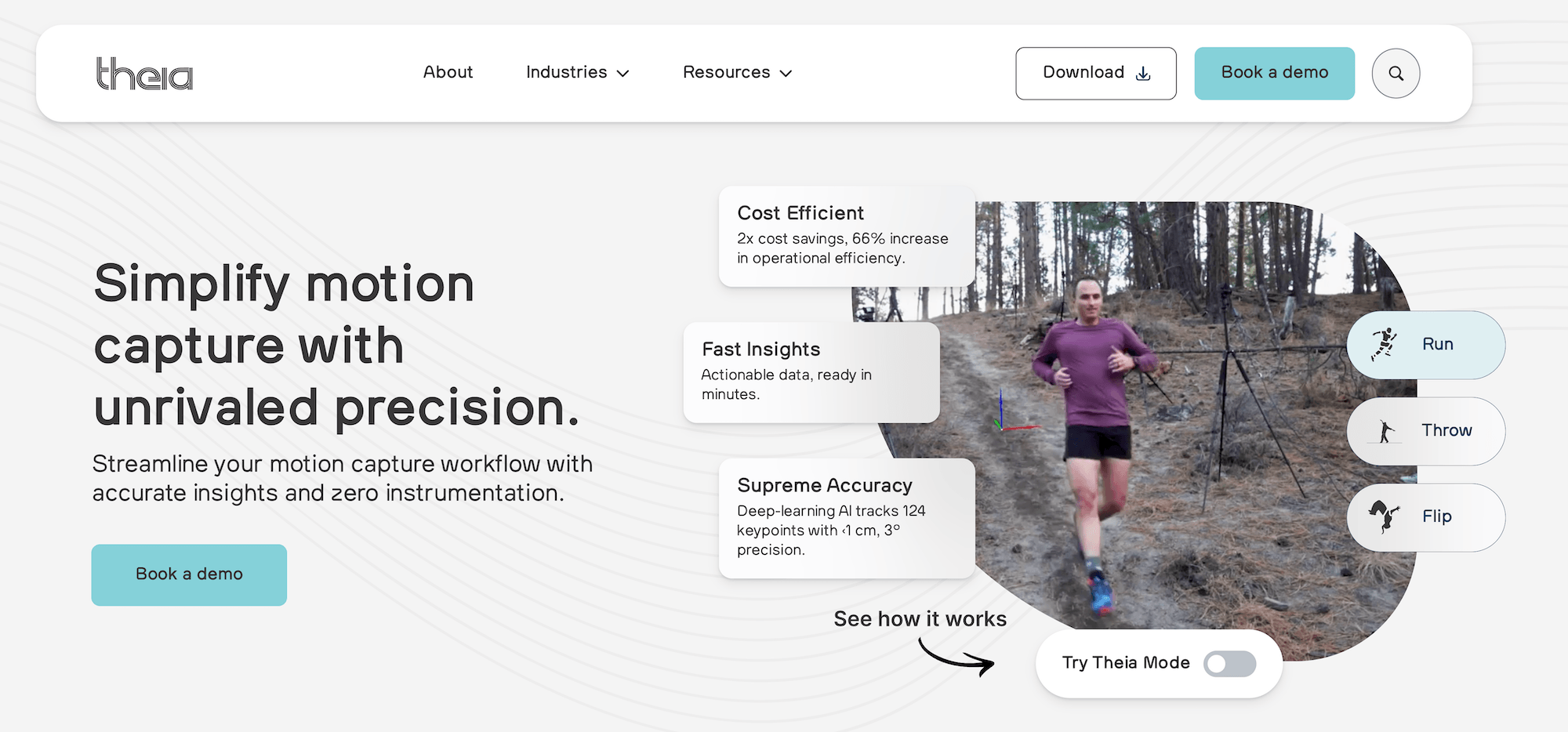
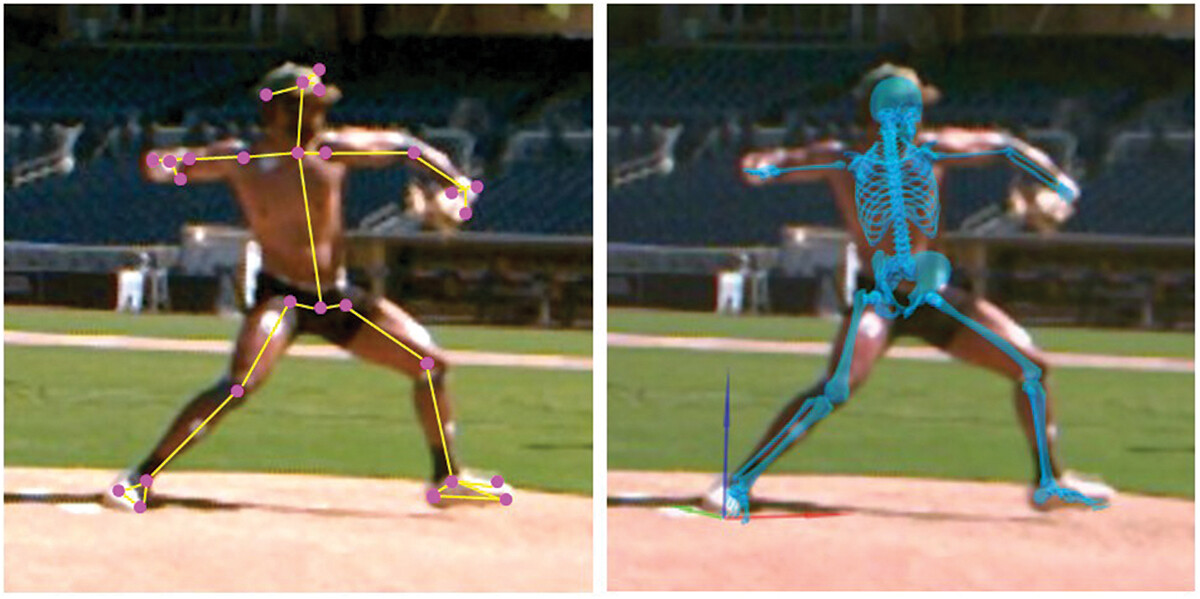
Theia3D is markerless motion capture software that turns synchronized multi-camera video into a precise 3D skeletal model of every visible person in the scene, with no physical markers, sensors, or special clothing required.
In a pitching context, Theia3D captures the full mechanical sequence that produces a pitch, from the start of the leg lift through ball release and follow-through, so body and ball can be analyzed in one synchronized capture space.
The system (using ball tracking) runs in real training environments such as bullpens, mounds, indoor pitching labs, and major-league stadiums, and is used at Driveline Baseball, Florida State University, Ohio State University, the PLNU x Padres Biomechanics Lab, and a growing list of MLB and college organizations.
Captures Full-Body Pitching Mechanics in Real Training Environments
Pitchers wear their normal training apparel. There are no retroreflective markers, no spandex suit, no IMU sleeve, and no instrumentation to alter how the player throws. Removing instrumentation matters for pitching, where small differences in arm action or stride mechanics can change pitch velocity and movement. Athletes throw at full intent rather than the slightly modulated effort that comes with an unfamiliar setup.
Theia3D works in any environment where a multi-camera array can be set up. The system works with at least six well-placed cameras at 300 fps and with a variety of off-the-shelf and custom camera setups, provided they can collect fully synchronized, high-quality video data. Verified camera systems include Sony RX0 II, Qualisys Miqus, FLIR Blackfly S (run through Vicon Nexus), and Contemplas custom solutions, so programs can build on hardware they already own rather than buy a single-vendor stack.
Setup of a portable system typically takes around 30 minutes including calibration, which is automatic and uses either a standard wand or Theia's proprietary calibration board in the capture area.
Quantifies the Pitching Variables That Drive Velocity and Load
Theia3D's desktop application runs on consumer-grade NVIDIA GPUs and uses the parameters from the camera calibration to calculate where key points on the athlete's body, the bat, and the ball are in 3D space. The system tracks 124 anatomical keypoints per frame and fits a 17-segment scaled skeletal model to those keypoints, producing a complete kinematic dataset for every pitcher in the volume. The underlying deep learning models were trained on more than 100 million images spanning more than 1,000 different environments.
Theia3D records the ball's position frame by frame, combining the viewpoints of the multi-camera array to reconstruct the continuous 3D trajectory of the ball's flight. This camera-based approach calculates ball velocity very accurately by tracking how the ball's position changes across successive video frames.
Because the camera array records the entire environment rather than only the ball, the system directly captures the exact release point from the pitcher's hand and the point of contact with the bat alongside the athletes themselves.
This is unlike radar-based tracking, which sends a microwave signal out at a known frequency. When that signal bounces off a moving object like a baseball, it reflects back with a slightly different frequency based on the object's movement, allowing the system to instantly calculate the ball's speed. Radar excels at immediate velocity and spin estimation. Camera systems calculate velocity very accurately but struggle more with spin. The trade-off is coverage: radar tracks only the ball, while camera systems capture the entire scene. Because the camera array sees everything in its field of view, camera-based systems can capture the ball and the athlete's full-body biomechanics simultaneously.
For pitchers, the most relevant outputs from a biomechanics dataset include lower-body stride and landing measures, lead-leg mechanics, pelvis and trunk rotation kinematics and timing, hip-shoulder separation, shoulder/arm kinematics, and estimated elbow and shoulder loading metrics.
Data is exported in industry-standard .C3D, .FBX, and .JSON file formats, and can be merged with synchronized force plate, EMG, treadmill, or other peripheral data in software like Visual3D for a complete biomechanical picture.
Theia3D's Bat Tracking add-on extends the platform to capture synchronized bat path and full-body mechanics in the same session, which is useful for hitting analysis and for facilities that run both pitching and hitting evaluations on the same hardware.
Built for Roster-Scale and Longitudinal Use
Once the camera array is calibrated for a given capture space, athletes can rotate through a session with no setup or calibration between throws. Theia3D ships with a companion application, Theia3D Batch, that automates the processing pipeline.
Programs can configure the analysis once, queue hundreds of trials, and process them sequentially in the background without manual intervention. This makes biomechanics screening practical at the level of an entire pitching staff, rather than one or two pitchers at a time.
Driveline Baseball uses Theia3D's command-line and batch functionality to run pitching and hitting biomechanics across full pitching staffs inside its Launchpad program at Florida State, Ohio State, and other partner programs, generating mechanical composite scores that pair with strength and force-plate data to direct each athlete's training block.
The system can capture multiple persons at once by automatically identifying and tracking each unique individual. Programs can also specify a central person of interest within a group in Theia3D's settings.
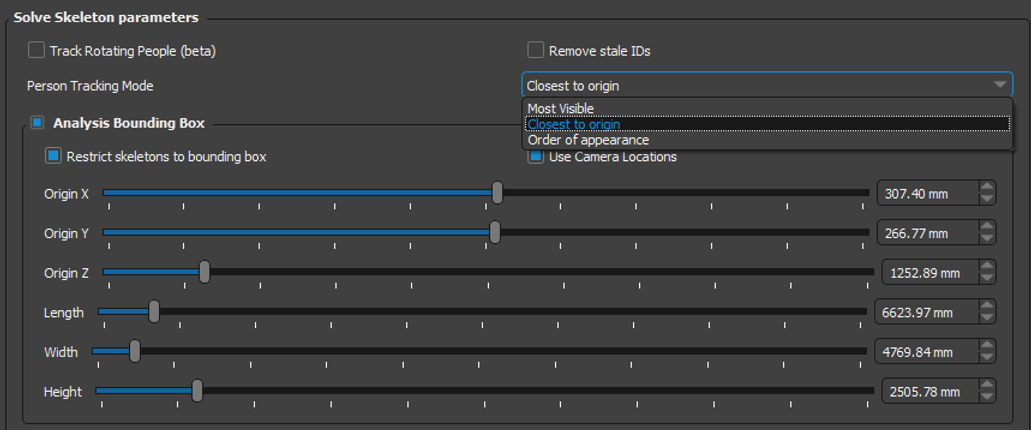
Another difference is data access. With Theia, the program owns the raw data (bat path, joint angles, and so on) and can integrate it into the analysis workflow immediately. All data processed by Theia3D is stored entirely locally. No video, participant, or analysis data is ever transmitted to Theia or any external provider, which is a requirement for sports teams that want to keep athlete performance data private.
Independently Validated for High-Speed Baseball Pitching
A peer-reviewed study published in the Journal of Sports Sciences in November 2025 evaluated Theia3D against a marker-based reference and an in-stadium Hawk-Eye system during max-effort fastballs from 18 NCAA Division 1 and 2 pitchers at Petco Park. Theia3D produced lower mean per-joint position error than the in-stadium system, with strong agreement against marker-based references on stride mechanics and most kinematic sequencing variables, and wider limits of agreement on rapid shoulder rotation, which is a known limitation across all motion capture systems.
Beyond the pitching study, Theia3D is supported by more than 50 independent, peer-reviewed validation studies covering gait, sprinting, jumping, return-to-activity research, and aging-population biomechanics. These independent validations consistently show full-body kinematics in agreement with marker-based references, resolving joint positions to within roughly a centimeter and joint angles within a few degrees of marker-based measurements.
Limitations to Consider
Validation is specific. A system validated for one task, for example, controlled bullpen pitching mechanics, isn’t automatically validated for another, such as max-effort pitching mechanics. Programs should verify that the validation evidence available for Theia3D matches the population, movement, and environment they intend to use it for, and the published validation library is the starting point for that verification.
Also, processing is computationally intensive and runs on a consumer-grade NVIDIA GPU. Field deployments require a laptop or desktop capable of handling that load. Theia3D is a post-processing biomechanical analysis software, not real-time, and so results are typically available within minutes of capture, not within milliseconds.
Lastly, Theia doesn't sell cameras directly. Programs assemble their own system through partners, which provides flexibility but adds integration decisions to the procurement process.
Talk to our team to see how Theia3D can capture full-body pitching biomechanics in your bullpen, lab, or stadium environment.
KinaTrax
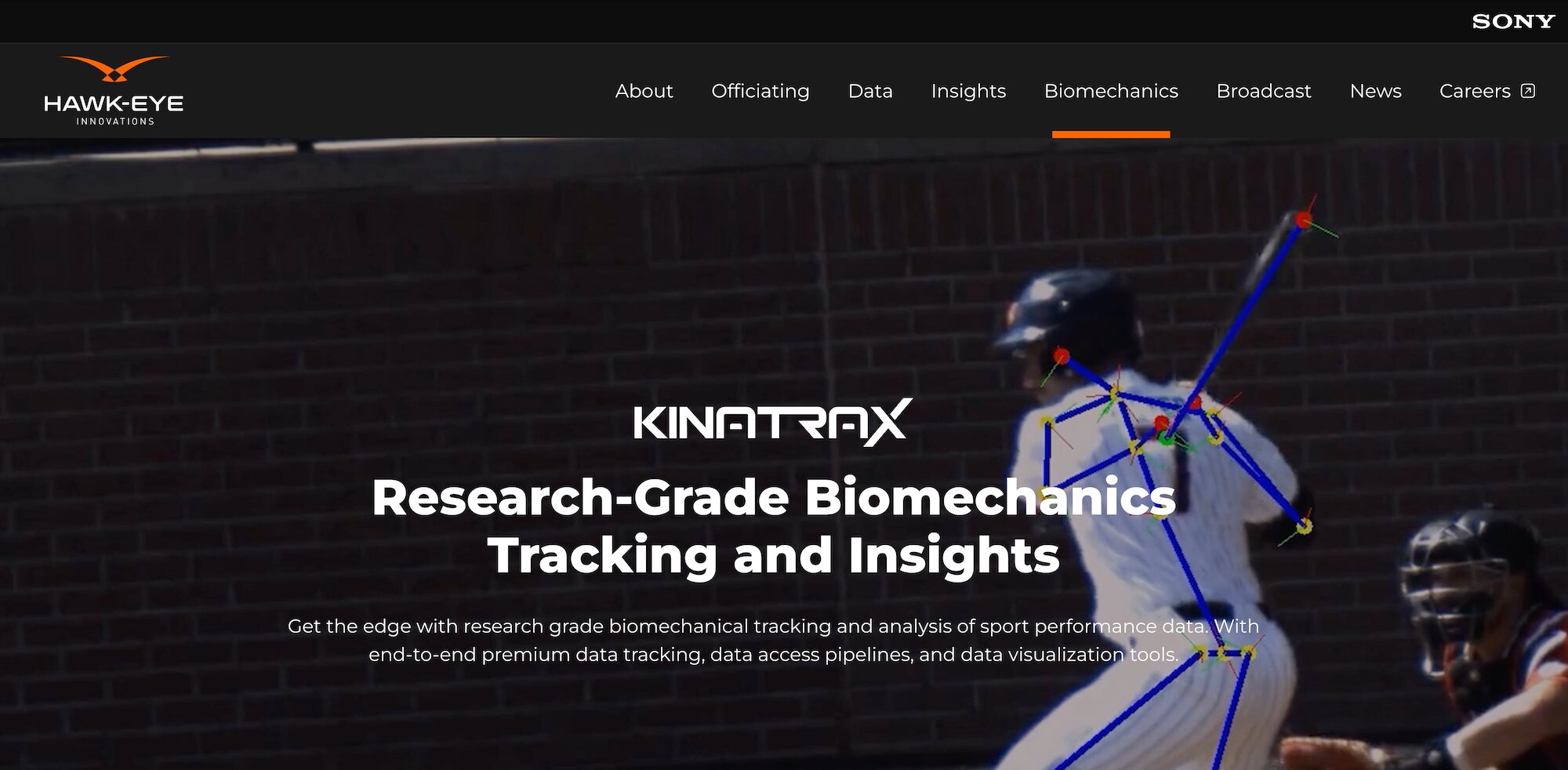
KinaTrax is a markerless motion capture system designed for permanent in‑stadium or facility‑based installation, originally developed and deployed for Major League Baseball to provide in‑game and bullpen‑level biomechanics data for pitchers (and batters).
It uses an array of high‑speed, synchronized cameras mounted around the playing area to track the pitcher’s body in real time, producing research‑grade 3D kinematic data without any markers, suits, or on‑body sensors.
What It Measures
- 3D body kinematics during pitching, including arm slot, release point, stride mechanics, and major joint angles such as shoulder, elbow, and trunk positions across the pitch cycle.
- The system can be synchronized with existing stadium ball‑tracking infrastructure (such as Statcast‑linked systems) when deployed in venues that already run integrated tracking, enabling combined biomechanics and ball‑flight analysis.
Strengths
- Once installed, there’s no additional setup required for in‑game or bullpen use; the system captures pitches at full game‑intent velocity with no instrumentation on the athlete.
- It’s engineered for the operational realities of professional and high‑level collegiate game environments, including stadium geometry, lighting, and broadcast constraints, and is now used by multiple MLB teams and NCAA programs.
Limitations
- The system is tied to specific stadiums, ballparks, or practice facilities; it’s not a portable unit that can be moved to a college program’s home bullpen or arbitrary remote training sites.
- Data capture, processing, and many analytics workflows are typically managed on the vendor side, which can limit direct team control over raw sensor‑level outputs and algorithmic pipelines.
Mobile Video and AI Coaching Apps
These tools are built around recording, slowing down, and reviewing video of a pitch, with annotations, side-by-side comparisons, and team collaboration features.
ProPlayAI

ProPlayAI (formerly PitchAI) is a smartphone-based pitching analysis app that extracts movement feedback from a single video clip, with no markers, sensors, or specialized hardware required.
A pitcher records a delivery on a phone, and the app processes the video to produce metrics on arm action, trunk and pelvis rotation, stride, and pitch-to-pitch consistency. Results are available in the app for player and coach review, with the option to track changes over time and share reports between athletes and staff.
What It Measures
- AI-derived movement metrics from single-camera smartphone video, including arm action, trunk and pelvis rotation, and stride.
- Sequencing of the throwing motion from windup through release and follow-through.
- Estimated arm-loading indicators derived from the visible motion.
- Pitch-to-pitch comparisons within a session and across sessions for the same athlete, used to track mechanical change over time.
- Cloud-based reports that can be shared between coach and player, with player histories accessible for longitudinal review.
Strengths
- Mobile-first and effectively zero-setup; any modern smartphone camera works, with no markers, wearables, or specialized hardware required.
- The platform provides a comparison dataset across other players for added context of how they’re performing.
Limitations
- Single-camera AI estimation is less accurate than multi-camera markerless or marker-based motion capture, especially for fast, complex movements like a max-effort fastball and for rapid arm action.
- Cloud-based processing means athlete video is uploaded to vendor infrastructure, which is a consideration for organizations with strict data-sovereignty or competitive-IP requirements.
- Estimates depend heavily on camera angle, framing, and video quality; inconsistent capture conditions between sessions reduce the reliability of longitudinal comparison.
Onform

Onform is a cloud-based sports video coaching platform that supports slow-motion playback, frame-by-frame review, drawing/markup, voice-over feedback, side-by-side comparison, tagging, messaging, and team/coach collaboration, with products and app listings positioning it for coaches and athletes across sports including baseball, softball, golf, track & field, and more.
It’s built around workflow and sharing across coaches, athletes, and groups, with centralized admin tools, in-app capture, and cloud access to stored video and activity.
What It Measures
- High-frame-rate video capture and slow-motion playback, recorded in-app or imported, with frame-by-frame review.
- Side-by-side video comparison across videos or sessions.
- Drawing, annotation, and voice-over feedback layered onto video.
- Session organization, tagging, sharing, chat, and coach-athlete communication in the cloud.
Strengths
- Strong for collaboration across coaches and athletes, including remote and in-person workflows.
- Cloud storage and organization make it practical for maintaining a long-term video archive and sharing feedback over time.
- Asynchronous review is a core use case, with video, voiceover, and messaging supporting off-site coaching.
- It’s cross-sport, with explicit support and marketing across baseball, softball, golf, track & field, and other sports.
Limitations
- It's primarily video-based, so its core outputs are qualitative rather than direct kinematics, kinetics, or ball-flight measurements.
- Single-camera video analysis still has the usual 2D limitations unless paired with other tools or multi-angle setups.
- Cloud-first workflows mean video and user data are hosted with the vendor by default, which matters for organizations with stricter data-control requirements.
Pitch Data Analytics and Arm-Stress Wearables
These tools measure either the ball or specific aspects of the pitching arm directly, rather than reconstructing the full body.
PitchGrader
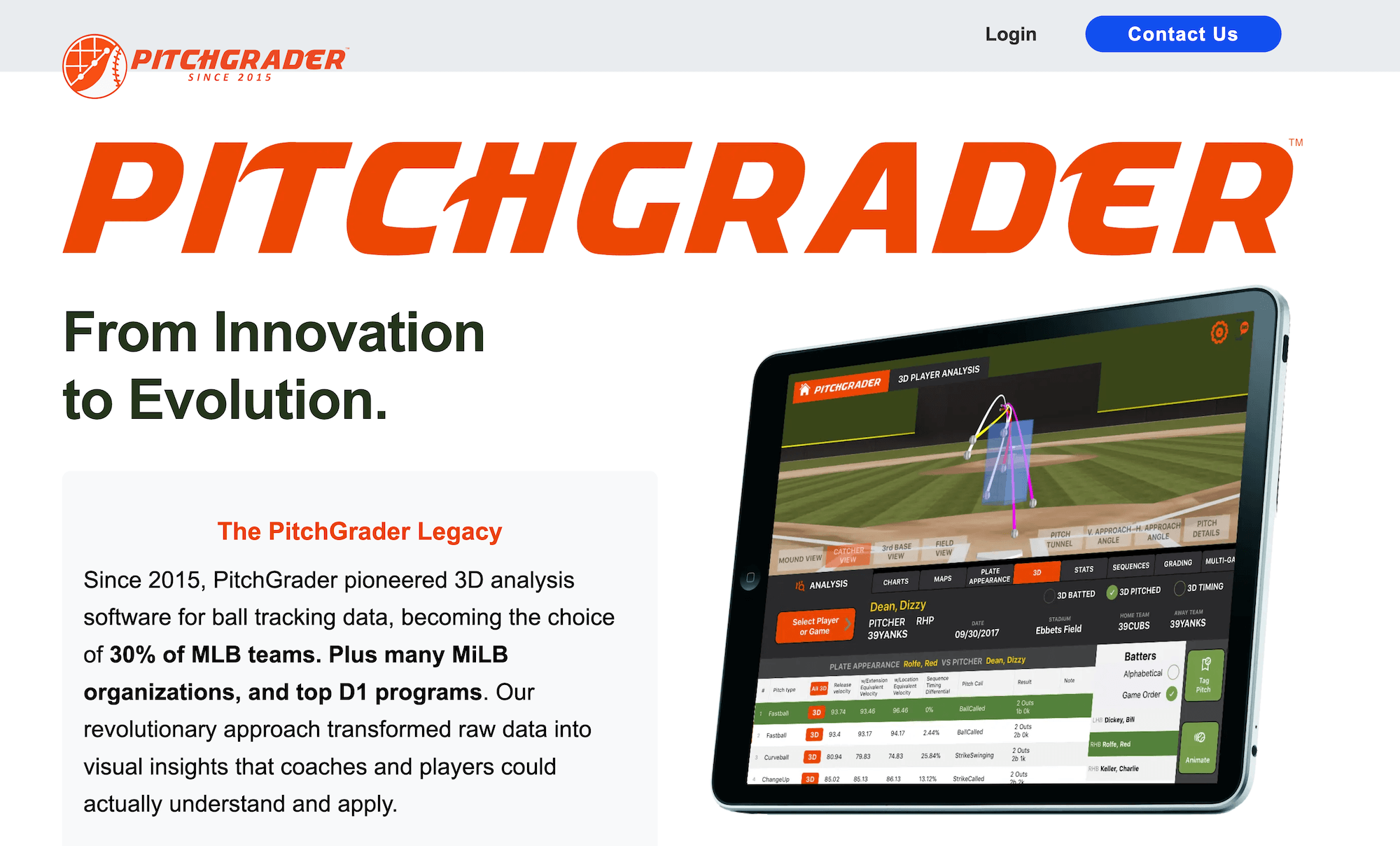
PitchGrader is a pitch‑design and pitcher‑development platform that takes in Doppler‑radar pitch data, typically from systems like TrackMan or Rapsodo, and converts it into 3D pitch visualizations, automated pitch grading, tunneling analysis, and pitcher‑projection models.
It’s also an analytics and decision‑support layer for coaches and front‑office staff who already operate radar tracking systems but want a more structured, interpretive layer on top of ball‑flight data, rather than having to build such analytics in‑house.
What It Measures
- Pitch shape and movement profiles across a pitcher’s full arsenal, derived from spin axis, spin rate, induced vertical break, horizontal break, and trajectory metrics passed in from the connected radar system.
- Pitch‑tunneling behavior, quantifying how two or more different pitches share a visually similar path from release before diverging.
- Pitch‑grading scores that compare each pitch against benchmarks for its type, velocity band, and movement profile.
- Pitcher‑projection models that estimate likely future performance based on the pitcher’s current pitch‑profile makeup and historical trends.
- Heat maps, charts, and 3D pitch renderings designed for coach‑facing review and in‑session feedback.
Strengths
- Provides a robust analytics layer on top of Doppler‑radar data that many pitching staffs cannot replicate internally, including 3D visualization, tunneling overlays, and standardized grading.
- Has been used by professional and collegiate programs for an extended period, giving its grading and projection logic time to be refined against a large dataset of pro‑ and high‑level amateur pitchers.
- Designed to translate raw radar outputs into more intuitive, coach‑friendly visuals and scores, which helps bridge the gap between ball‑flight data and concrete pitch‑design decisions.
- Flexible front‑end architecture that connects to the radar systems many programs already own, allowing teams to keep existing hardware while layering on PitchGrader’s analytics.
Limitations
- Requires a separate Doppler‑radar input system; without TrackMan, Rapsodo, or a compatible radar‑based tracker already in place, PitchGrader has no data to ingest or analyze.
- Measures the ball’s flight, not the pitcher’s body mechanics. It can describe what a pitch is doing and how it stacks up against benchmarks, but it can’t diagnose or explain which mechanical changes in the pitcher caused that result.
- Functions best as an analytics tier on top of ball‑tracking and biomechanical analysis tools, rather than as a replacement for either. Programs that rely on PitchGrader without complementary body‑mechanics data still face the classic action‑versus‑outcome gap that ball‑flight data alone cannot resolve.
Nextiles Arm Sleeve

Nextiles is a sensor pitching sleeve worn over the throwing elbow that uses fabric-based thread sensors sewn into the garment to capture arm stress and workload, with no rigid puck, strap, marker, or external hardware required.
The sleeve is used by NCAA baseball programs to monitor arm health and track each rep. It’s also relevant to sports medicine staff, strength and conditioning coaches, and pitching coordinators focused on workload and injury prevention rather than full-body mechanical diagnosis.
What It Measures
- Elbow force and arm torque (stress) per throw, derived from how the sensorized fabric bends, stretches, and twists.
- Arm speed, along with the direction, speed, and distance of each throw.
- Elbow and shoulder workload.
- Per-athlete arm-stress trends over time to inform readiness and individualize throwing programs.
Strengths
- Soft, fabric-based form factor with sensors sewn into the sleeve itself, so there’s no separate puck or strap to position, enabling daily on-field and off-field use.
- Captures elbow and shoulder workload together, rather than the elbow in isolation.
- Includes app access for real-time arm-stress monitoring at no additional cost, which data coaches can use to adjust throwing programs.
- Independent of cameras, lighting, and setup, and made by a company with no ties to a single training-facility brand.
Limitations
- Outputs come from a single sensorized sleeve so the data describes arm workload and relative trends rather than complete pitching mechanics.
- Limited for diagnosing lower-body or full kinematic issues such as stride or hip-shoulder separation.
- Reliable longitudinal data depends on consistent sleeve fit and correct placement on the arm.
Capture Pitching Mechanics the Way Athletes Actually Throw
Pitchers throw differently when they are wired up, suited up, or pitching inside the constraints of a marker-based lab. Theia3D removes the instrumentation entirely, so the mechanics you measure are the mechanics that actually produce the pitch.
Contact us to see how Theia3D changes what your program can learn from a bullpen or live outing compared with conventional pitching analysis tools.