



Summary
Below we explain what to look for when evaluating software for biomechanical analysis. We later cover six tools organized by use case, starting with our own Theia3D, then covering Visual3D and BoB Biomechanics, three tools commonly used in research and performance settings. We then describe OpenCap, Kinovea, and Mokka, which are well suited to research, education, and exploratory use.
Factors to Consider When Choosing Biomechanical Analysis Software
Here are key questions to ask when assessing any software for a research or performance setting:
Do You Need Visual Review or Quantitative Biomechanical Data?
The first distinction to draw is between tools designed for manual, observation-based analysis and tools that produce quantitative biomechanical outputs. Some software (Kinovea being a good example) is built entirely around 2D video capture, visual review, and direct measurement. These allow you to:
- Record movement
- Slow the footage down
- Annotate sequences
- Compare trials side by side
- Measure visible joint angles on screen
Tools that produce quantitative outputs occupy a different category. Markerless systems use cameras or smartphones to generate joint motion curves, skeletal models, and other movement metrics, which is structured biomechanical data that can be exported and analyzed further. The distinction matters because choosing a 2D video tool when you need kinematic output, or vice versa, isn't a question of scale; it's a question of whether the software can produce what you actually need.
Among tools that generate quantitative outputs, some are built to coordinate hardware-heavy workflows involving:
- Electromyography (EMG) systems
- Force plates
- Pressure platforms
- Motion capture cameras
This requires software to synchronize signals, centralize data, and support reporting in one environment. Even these tend to cover adjacent stages of the pipeline rather than the entire workflow end to end.
Further downstream are tools that focus on biomechanical processing rather than data capture. Such systems typically ingest data collected from other systems (often through standard exchange formats like .C3D), apply biomechanical models, and produce variables like joint kinematics, kinetics, gait events, and analysis-ready reports. Visual3D is a clear example of this processing-layer role.
At the furthest end are tools built for musculoskeletal simulation, predictive modeling, ergonomic analysis, and other forms of advanced biomechanical interpretation. These aren't capture tools at all; they're used to estimate internal forces, test hypothetical movement interventions, or analyze movement in more mechanistic depth. OpenSim is a well-known example of this category.
How Much Setup, Hardware, and Operator Time Does It Require?
Setup burden directly affects throughput, staffing requirements, session cost, and how practical a system is outside of ideal lab conditions. A tool that performs brilliantly in a controlled research environment may not be feasible in a high-volume research program or a field-based performance setting.
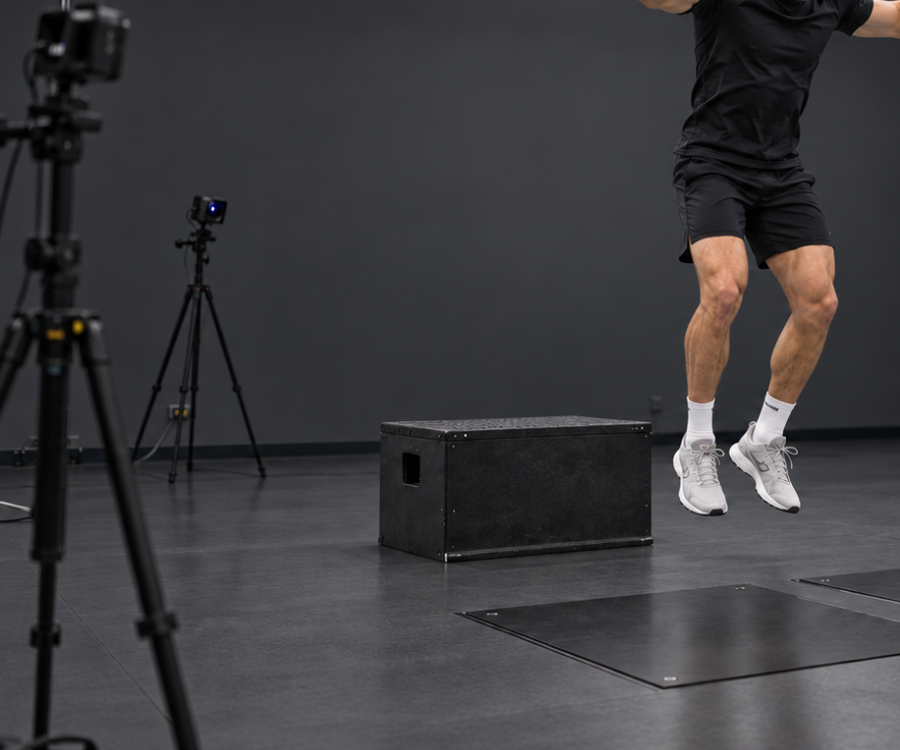
Traditional marker-based systems typically need a lot of set up and may involve the following — all before a single trial is captured:
- Placing 30 to 50 (or more) retroreflective markers on a subject
- Calibrating a multi-camera array
- Adjusting lighting
- Confirming hardware synchronization
This requires trained technicians and tightly controlled conditions, which makes them well suited to specialized research labs but less practical for teams that need fast turnaround, frequent testing, or deployment across multiple locations.
Markerless systems lower setup demands by reducing or eliminating body-mounted sensors and markers. That makes data collection faster, less intrusive, and easier to scale across larger subject volumes. Setup requirements may still vary within the markerless category, though, as some systems require multiple synchronized cameras and a calibration step, while others work from a single smartphone with minimal preparation.
Hardware demands also shape the participant experience. Instrumented workflows can constrain natural movement or make subjects more aware of the testing environment. Lighter setups allow movement that feels more spontaneous, an important consideration when the goal is to capture how someone actually moves.
How Well Does it Integrate with Your Existing Hardware and Data Sources?
Biomechanical data pipelines can get complex, especially when a lab uses multiple technologies in combination, like high-speed cameras, force plates, instrumented treadmills, EMG systems, and others. If the software you choose can't connect these disparate systems, you risk creating data silos where analysts must manually piece together timing and metrics from separate programs.
We recommend you verify whether the software natively supports the specific combination of devices in your lab, and if it's hardware-agnostic enough to accommodate equipment from different manufacturers. A system that only works cleanly with its own branded hardware can be a hidden cost when it comes time to expand or upgrade.
Data export standards also matter. Software should output data in industry-standard formats such as .C3D, which a wide range of downstream tools support. If your workflow feeds into custom scripts or reporting environments built in Python, R, MATLAB, or Excel, confirm that the software also exports to accessible formats like .CSV, .JSON, or .MAT so that extra conversion steps won't be required.
Synchronization deserves specific attention. In a typical lab setup, the software needs to accurately time-sync different inputs, like aligning video streams from multiple high-speed cameras with force plate recordings, or synchronizing full-body kinematic data with the activity being measured, such as a bat swing or a treadmill gait cycle. Poor synchronization creates downstream analysis issues that are difficult to detect and correct after the fact. It's important to ensure the data collection software is capable of aligning different sample rates, otherwise you'll need to up- or down-sample data streams later on in your analysis.
How Fast, Scalable, and Secure is the Processing Workflow?
Understanding how the software handles the transition from raw data to final analysis is essential for any high-volume program. Before automation became the norm, processing biomechanical data was tedious and could take hours per session. For instance, it used to take a biomechanist 1-2 hours to generate a single gait report. Modern platforms have compressed that to minutes, but the degree of automation varies a lot between products.
For research or sports programs handling multiple subjects per day, look for software that automates data pipelines as much as possible, ideally with the ability to apply a biomechanical model and generate reliable results with minimal human input per trial. Some systems (like Theia3D) let users configure a processing pipeline once and run it across hundreds of trials without further intervention, dramatically increasing throughput without adding staff.
Understand also where the computational heavy lifting happens. Some systems rely on cloud-based processing to handle skeletal motion estimation and musculoskeletal force calculation. This may create data compliance challenges for hospitals and other health facilities. Others perform all computation locally, on the lab's own hardware. For organizations working with sensitive athlete or participant data, local processing is strongly preferred as it keeps data within the facility's physical control and removes dependency on an internet connection or a third-party server.
Has the Software Been Scientifically Validated for Your Use Case?
Validation may be the most important factor to examine, given that biomechanical software routinely supports high-stakes decisions in movement research, performance optimization, and applied research.
Validation is specific, so a tool may perform well for joint-angle estimation in the sagittal plane during gait analysis, but fall short for transverse-plane rotation, force estimation, or event detection in high-speed, dynamic movements. A general claim of "scientific validation" or "research-grade accuracy" tells you nothing unless it specifically covers the outputs, populations, movement tasks, and environments that match your use case.
For AI-driven and markerless systems, validation should include direct comparison against accepted reference methods. Depending on the application, that may mean comparison against marker-based systems like Vicon or Qualisys for 3D kinematics, force plates for ground reaction force outputs, or other established measurement tools used in the field.
Validation should also match your deployment environment. A system validated under tightly controlled laboratory conditions (e.g., consistent lighting, unobstructed camera views, standardized clothing) may not perform the same way in a busy research setting, on a sports field, or in a training facility where conditions vary session to session.
The strongest validation records combine multiple types of evidence:
- Peer-reviewed studies from independent research groups
- Transparent methodology that allows replication
- Reproducible outputs across sessions and operators
- Direct quantitative comparisons with established measurement systems
The more of these a product can demonstrate through independent work rather than internal testing, the greater the chances it's ready for serious use.
Biomechanical Analysis Software for Research and Performance Use
Some tools are built for applied settings, like gait biomechanics research, movement research, and sports performance, where throughput, repeatability, and decision support matter most. Others are better suited to research, teaching, and experimental modeling where methodological flexibility is the priority. We've organized our list along these lines.
Solutions for Research and Performance Labs
Theia3D (Theia Markerless)
Theia3D is markerless motion capture software that uses deep learning and synchronized multi-camera video to generate precise 3D kinematic data, without requiring subjects to wear sensors, markers, or special clothing. By eliminating the instrumentation step, Theia3D removes up to an hour of preparation time that a trained technician would otherwise spend applying markers. Our system has been shown to significantly reduce the time needed to collect and process biomechanical data, including one study where practitioners reported reducing that time by over 80% compared with traditional optical motion capture.
Theia3D converts natural human movement recorded on video into standardized biomechanical data (including formats like .C3D, .FBX, and .JSON) that exports directly into downstream analysis environments such as Visual3D, Vicon Nexus, Qualisys Track Manager, Python, or MATLAB. Below we describe how Theia3D supports gait biomechanics research, sports performance teams, and applied human movement specialists.
Efficient Markerless Setup and Data Collection
With Theia3D, participants wear their everyday or athletic clothing. There's no need to apply retroreflective markers, attach inertial measurement units, or put on a full-body spandex suit.
The upside of this is that subjects move much more naturally. Athletes can pitch or swing at full speed, so you see how they actually perform, not how they move when markers are attached to them. Participants are also more comfortable without markers, so they're more likely to relax and move as they normally would.
This is enabled by Theia3D's markerless tracking, which uses deep learning to automatically identify and track over 120 landmarks appearing on a human in a video. Such anatomical reference points are consistently measured across sessions, technicians, and sites, so you get more reproducible data over time, which is important when you're following a participant through a recovery program or evaluating an athlete more than once.
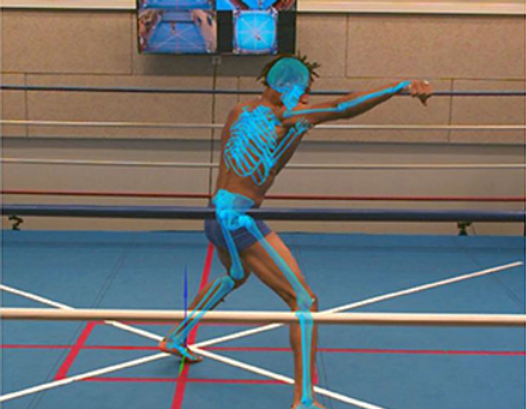
In contrast, when using traditional marker-based systems, technicians may not place the markers in exactly the same spot every time, introducing measurement errors of up to a few centimetres, impacting the reliability of 3D modeling and measurements between sessions.
Setting up the system requires fully synchronized and high-quality video from at least six well-placed cameras (though eight or more are recommended). Cameras should be placed around the capture space so the subject will be visible from multiple angles.
The cameras themselves need to synchronize the video recording both among themselves and (if applicable) with signals from external devices like EMG sensors, force plates, and instrumented treadmills. So we advise using cameras that have such capabilities.
You start the alignment (calibration) of the cameras by recording a short video of someone waving a standard active wand or Theia's custom calibration board in the capture area. Calibrating the system determines the position and orientation of every camera in the space, as shown below where a calibration board was aligned with a landmark on the floor.

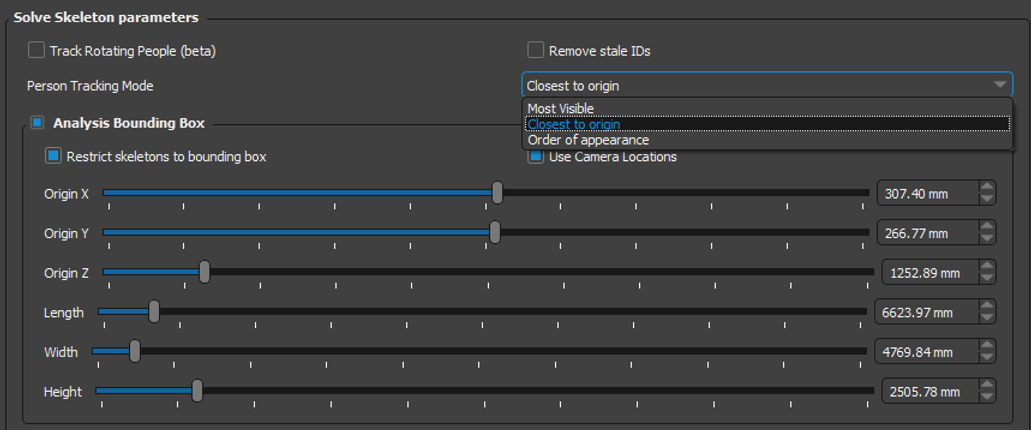
You then have your subject do their tasks naturally. The system can capture multiple persons at once by automatically identifying and tracking each unique individual, as long as each person is clearly visible in at least three camera views. You can also specify a central person of interest (within a group of people) in Theia's settings:
Another way Theia differs from traditional optical systems is that Theia3D isn't restricted to tightly controlled environments. Marker-based systems that rely on infrared cameras and retroreflective targets typically need a darkened, instrumented lab. This means you can set Theia3D up wherever cameras can be physically mounted, like in batting cages, research corridors, ice rinks, gymnastics facilities, sidewalks, and at outdoor tracks.
Turning Synchronized Video Into Analysis-Ready Kinematic Data
Theia3D's desktop application runs on consumer-grade NVIDIA GPUs and uses the parameters from the camera calibration to calculate where key points on a person's body are in 3D space. These points are then fit to a 3D skeleton based on user-specified joint constraints — this is compute intensive and our system's models have been trained on over 100 million images spanning more than 1,000 different environments.
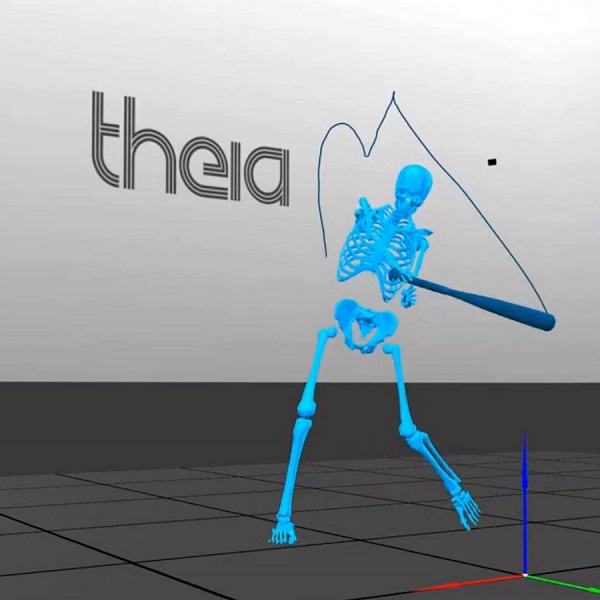
The resulting 3D skeleton will have 17 body segments and will let the user measure things like joint angles, movement patterns, and other details about how the person is moving.
Theia also automatically cleans up motion data using a Generalized Cross-Validation Spline (GCVSPL) method, which basically means that if a body part is briefly hard to see or if the data has small errors or tiny unstable jumps that aren't part of the person's real movement, the software fills in the missing pieces and smooths out the motion so the final data is more complete and stable. Users have the option to use this spline or not.
Once processing is finished, users can save the 3D motion data in standard file formats like .C3D, .FBX, or .JSON. That makes it easy to use the data in software like Visual3D or other programs. When exporting to C3D files, the software saves both raw unfiltered poses and smoothed filtered poses, giving users the option to work with either version in downstream analysis.
All data processed by Theia3D is stored entirely locally. No video, participant, or analysis data is ever transmitted to Theia or any external provider, which is a critical requirement for users like research institutions managing participant records and sports teams that want to keep athlete performance data private.
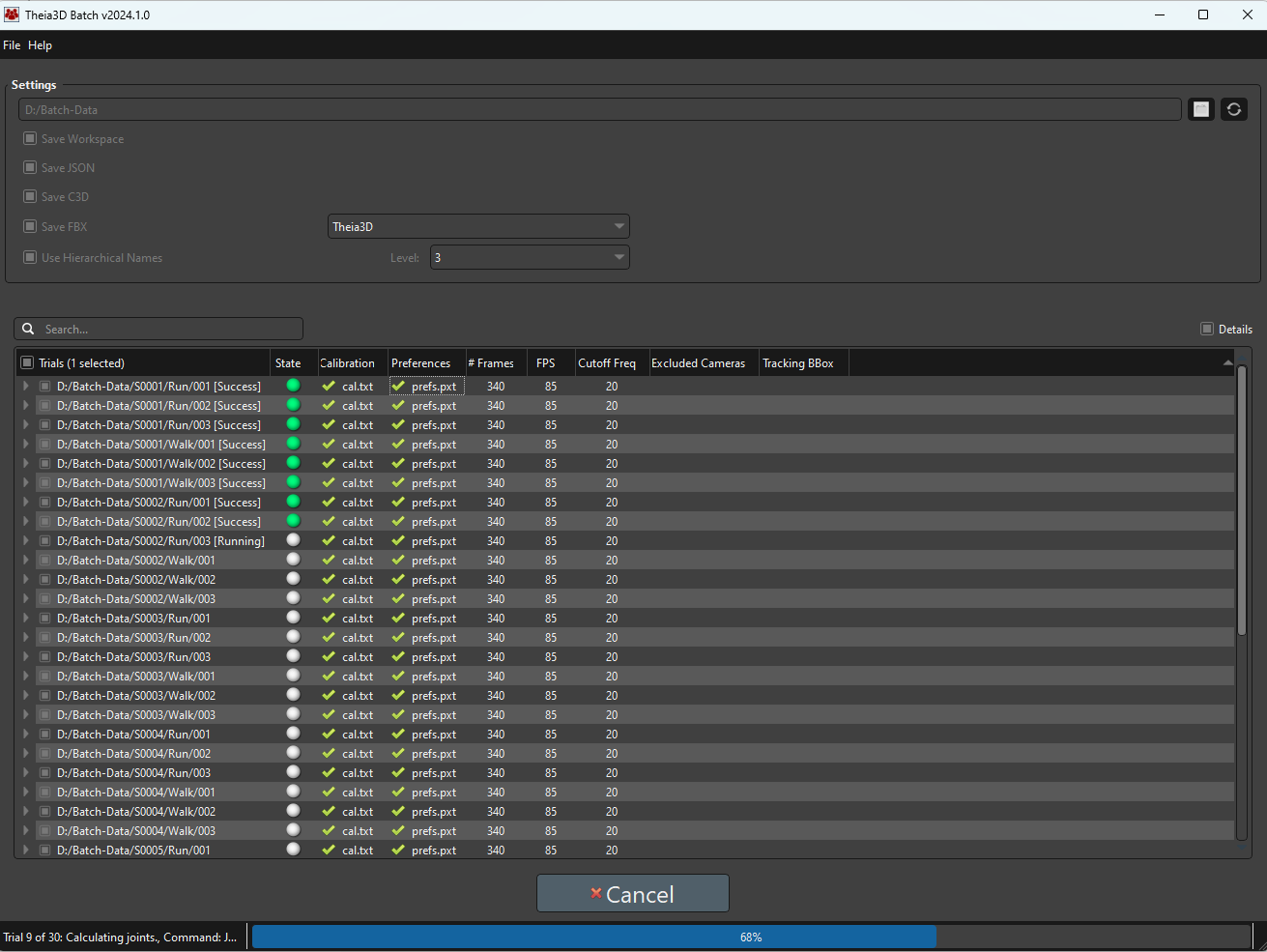
For labs that need to process a large number of trials, Theia3D Batch helps automate the work by sequentially running hundreds of trials without needing supervision. It's an application that lets users put together a trial list, assign the correct calibration files, and choose the appropriate analysis settings.
Backed by Independent, Peer-Reviewed Validation
Theia3D has one of the strongest validation records of any markerless motion capture system currently available. More than 50 independent, peer-reviewed studies from leading research institutions have evaluated its performance.
Across the published research, Theia3D has shown strong agreement with gold standard, marker-based motion capture for many of the measures that matter most in gait biomechanics research and sports performance.
Studies such as this one on treadmill running report especially strong agreement for spatiotemporal measures such as step length, cadence, and stance time. The same study also found that lower-extremity joint angles could be measured with good repeatability across sessions, supporting repeated biomechanical assessment over time.
Lower-extremity kinematics also compare well with marker-based systems during gait, especially in the sagittal and frontal planes, where the two systems show similar joint-angle patterns and generally small differences.
Theia3D has also been shown to estimate whole-body center of mass with small errors relative to marker-based motion capture, which supports its use in balance studies, walking analysis, and other whole-body movement assessments.
Beyond kinematics, the system has also shown strong performance in predicting kinetic variables from motion data alone, including close agreement with reference measures for ground reaction forces across a range of movement tasks. This shows that Theia3D isn't only useful for generating visual motion traces, but also for supporting deeper biomechanical analysis.
Another important strength is repeatability. Because Theia3D doesn't rely on manual marker placement, it avoids a common source of measurement error. As a result, it has shown consistent results across repeated sessions, even in research cohorts such as individuals with knee osteoarthritis. That's especially important in longitudinal use cases such as return-to-activity research and repeated movement assessment, where practitioners need to know whether movement patterns are truly changing over time.
In this study, accuracy was strongest for lower-limb sagittal-plane gait measures, with Theia3D showing good agreement with marker-based motion capture for hip, knee, and ankle kinematics across walking and running speeds. Pelvic tilt was less consistent and showed weaker agreement.
So as with any biomechanical system, Theia3D (or any other biomechanical analysis software) should be validated for the specific task, joint, and movement plane needed for study, rather than assumed to be equally accurate in every use case.
Talk to our team to see how Theia3D can help you capture research-grade motion data without markers or wearables.
The other tools below round out the landscape, covering other options you're likely to encounter when evaluating biomechanical analysis software for research, performance, or research use:
Visual3D (HAS-Motion)
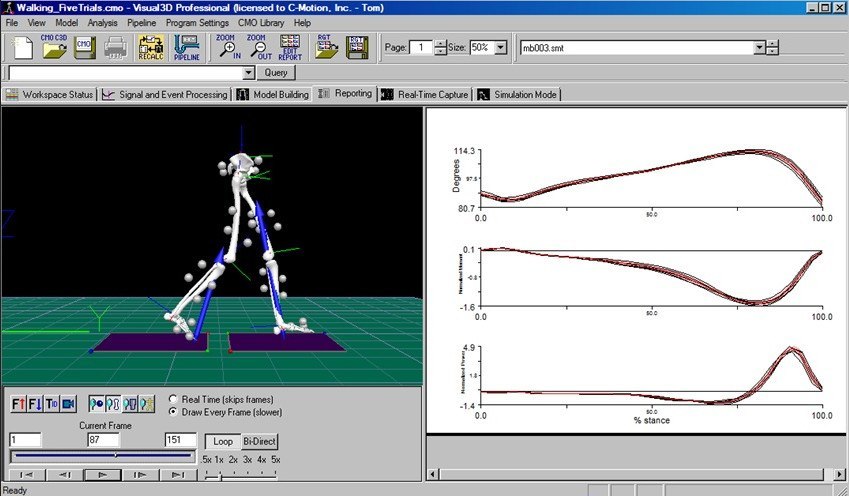
Visual3D by HAS-Motion is Windows-based biomechanics analysis software for modeling, visualizing, and reporting on 3D motion capture and synchronized analog sensor data (such as force plates, EMGs, and inertial measurement units). It turns raw movement and force data into biomechanical outputs such as joint angles, moments, powers, forces, velocities, and accelerations.
In biomechanical analysis workflows, Visual3D is typically used after data collection to build biomechanical models, calculate kinematic and kinetic variables, process motion and analog signals, visualize movement, and generate analysis reports, with optional real-time and biofeedback capabilities when connected to supported systems.
Key features
- Model-based kinematic and kinetic analysis, including calculations for joint angles, moments, powers, forces, velocities, and accelerations via linked-segment inverse dynamics.
- Flexible biomechanical modeling with support for classical gait and 6-DOF models, custom marker sets, functional joint centers, virtual markers, and compatibility with a wide range of motion capture and sensor systems.
- Signal processing tools for complex filtering, mathematical operations, and other processing steps applied to motion, force, and EMG signals.
- Pipeline-based workflow automation that lets users automate repeated processing steps, manage files, execute computations, create and edit models, and modify reports through scriptable pipelines and meta-commands.
- Visualization and reporting capabilities, including 3D skeleton/mannequin visualization, ground reaction force vectors, synchronized video, and customizable reports for data interpretation and communication.
BoB Biomechanics
BoB Biomechanics is a family of biomechanical modelling software packages built around a human musculoskeletal model, an interactive interface, and quantitative analysis tools.
For biomechanical analysis, the core product is BoB/Core, which processes motion data and generates quantitative, objective information about movement, loading, and musculoskeletal function. BoB is used in both academia and industry for applications including sporting performance, product and equipment design, ergonomics, man-machine interaction, vehicle design, and related areas.
In biomechanical analysis workflows, BoB can import motion data from optical motion capture systems (via .C3D), IMU-based systems, BVH-based sources, and interfaces to markerless or video-based motion capture systems, then analyze that data with a human musculoskeletal model.
Key features
- Musculoskeletal model-based analysis, with a human body model used to generate quantitative biomechanical information about motion, internal loading, joint contact forces, and muscle forces.
- Broad motion-data compatibility, including optical motion capture via .C3D, IMU-based motion capture systems, .BVH files, .CSV and .TXT formats, and interfaces to markerless or video-based motion capture systems.
- Kinematic analysis tools, including joint angles, segment orientation, trajectories, body instances, point position, velocity, acceleration, joint range of motion, and distance or angle measurements between points.
- Kinetic and inverse-dynamics analysis, including joint torques, externally applied forces, ground reaction forces, joint contact forces, and other loading-related metrics.
- Visualization features, such as 3D trajectory displays, velocity vectors, multiple body instances, synchronized video, selective display of joints and muscles, and flexible graphical plotting styles for interpreting movement data.
Solutions for Research, Education, and Experimental Use
These tools are often used to test ideas, explore movement in more detail, and support biomechanics education.
OpenCap (Stanford University & University of Utah)
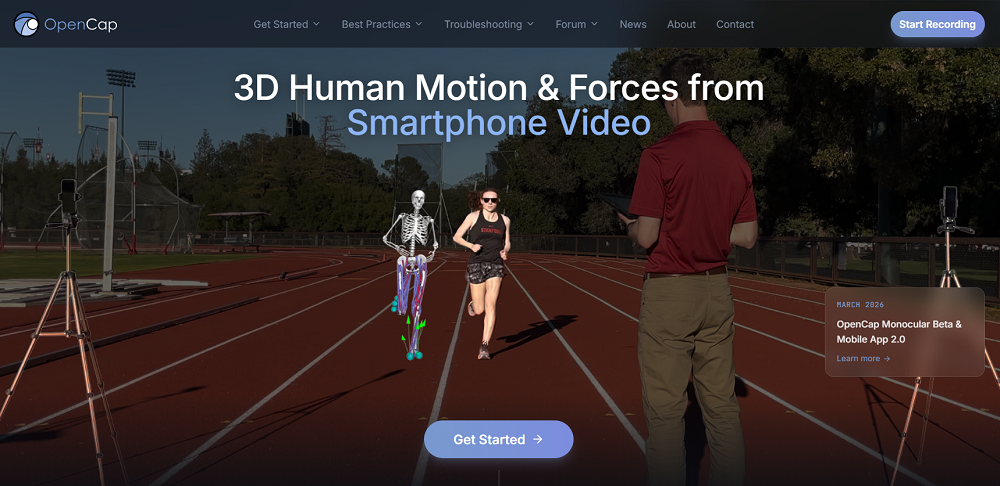
OpenCap uses smartphone video to estimate human movement dynamics and is designed to make movement analysis more accessible by replacing traditional lab-based motion capture setups with a workflow built around two or more iOS devices, web-based data collection, and cloud-based musculoskeletal simulation.
It includes a hosted platform offered at no cost for non-commercial research and specific arrangements for commercial applications.
In biomechanical workflows, OpenCap captures synchronous video of a person doing movement tasks, then reconstructs body motion in three dimensions, and estimating biomechanical outputs such as kinematics, kinetics, muscle activations, joint moments, and joint loads.
Key features
- Smartphone-based markerless motion capture using video from two or more iOS devices rather than a traditional marker-based motion capture lab.
- 3D kinematic estimation, reconstructing how body landmarks and joint-related segments move through three-dimensional space.
- Physics-based musculoskeletal analysis that estimates movement dynamics and internal forces, not just visible motion.
- Joint-level biomechanical outputs, including joint angles, joint moments, and joint loads derived from the musculoskeletal simulation pipeline.
- Muscle-level outputs, including estimated muscle activations and identification of which muscles are most active during movement.
Kinovea
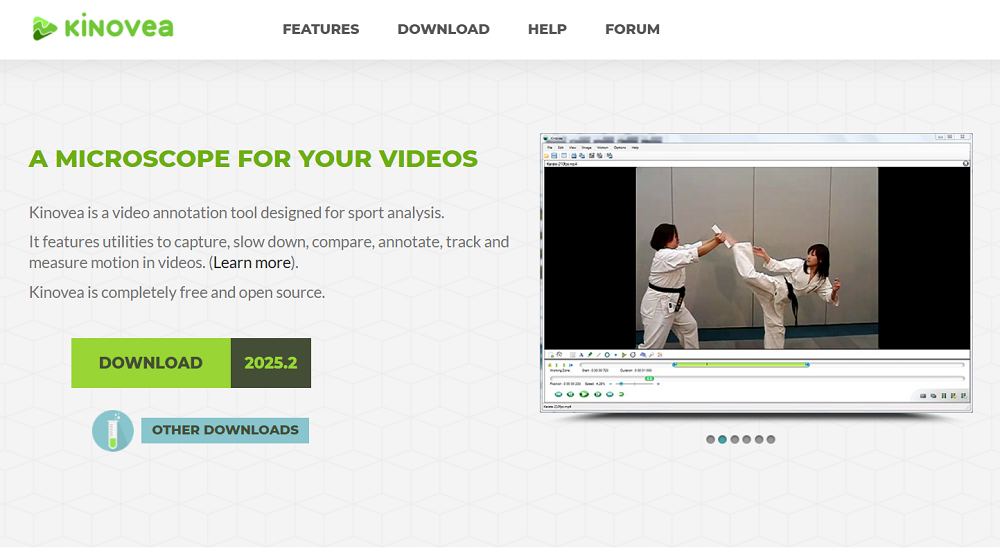
Kinovea is a free, open-source tool for motion analysis in sport and other movement activities. It's built around video capture, playback, annotation, measurement, and comparison, and is used by analysts, coaches, teachers, and researchers who need to study movement from recorded video without a full 3D motion capture setup.
Kinovea is used to examine movement frame by frame, calibrate video to real-world units, measure positions, distances, angles, and time intervals, track trajectories over time, and compute basic linear and angular kinematic variables from 2D video.
Key features
- Video-based motion analysis tools, including capture, slow-motion playback, side-by-side comparison, annotation, and inspection of movement sequences.
- 2D spatial calibration, with both line-based and plane-based calibration to convert pixel measurements into real-world units.
- Measurement tools for positions, distances, angles, and time-based observations directly on video frames.
- Tracking capabilities, including tracking of point trajectories as well as tracked distances and tracked angles across frames.
- Linear and angular kinematics support, allowing users to derive motion-related outputs (e.g., displacements, velocities, and joint angles) from tracked points and angle measurements.
- Export and workflow support, including export of video, still images, and measurement data for reporting or additional analysis.
Mokka
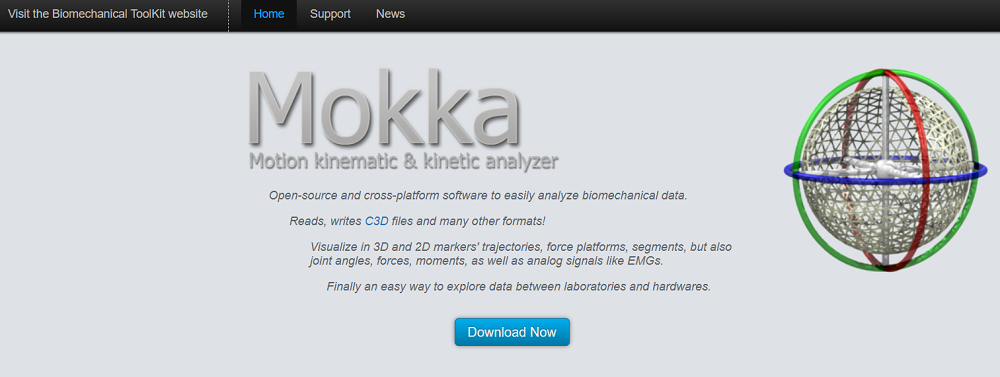
Mokka is an open-source, cross-platform software application for analyzing biomechanical data. It's an acronym that stands for Motion Kinematic & Kinetic Analyzer and it's a part of the open-source Biomechanical ToolKit.
Mokka allows researchers to open, inspect, visualize, and compare biomechanical acquisitions such as marker trajectories, force-platform data, joint angles, forces, moments, and analog signals like EMG. The software supports 3D and 2D exploration of motion data, 2D charting of biomechanical variables, visual inspection of events in the time bar, and loading video alongside acquisitions with user-adjustable timing offsets.
Key features
- Open-source, cross-platform biomechanics analysis software, built to analyze biomechanical data on Windows and macOS, with testing also reported under Ubuntu.
- Support for biomechanical file formats including .C3D, with the project stating that it reads and writes .C3D files and many other formats from motion-capture systems.
- 3D visualization tools for markers, force platforms, and segments, including perspective and orthogonal views for exploring time-series biomechanical data.
- 2D charting for biomechanical variables, including plotting of markers, angles, forces, and analog data, with options to stack or separate plotted signals for easier comparison.
- Synchronized video playback, allowing users to review video files together with loaded acquisitions and adjust timing offsets between the acquisition and each video.
Ready to Upgrade Your Biomechanics Workflow?
Contact us today to get a hands-on look at Theia3D and learn how markerless motion capture can strengthen your biomechanics workflow. You'll get a practical look at how it supports movement capture, data export, and downstream biomechanical analysis.