



Summary
Whether you're working in research, performance, or applied movement settings, choosing the right gait analysis software depends almost entirely on what decisions the data needs to support.
The options range from free smartphone apps to sophisticated lab systems, but the harder question is which of them hold up in day-to-day practice across the individuals, athletes, and environments that practitioners and researchers actually work with.
This article gives you a practical framework for evaluating any gait analysis tool, then surveys leading options by category. We start with vision-based systems and our own Theia3D, one of the most rigorously validated markerless motion capture tools available, then move through more options to sensor- and force-based systems.
Four Things to Verify Before Committing to Any Gait Analysis System
These apply when evaluating any gait analysis tool, regardless of category or price point.
Match the Level of Precision to Your Needs
Not every use case requires the same accuracy. For informal assessments like general movement screenings and basic coaching cues, observational tools are often adequate. For practitioners and specialists conducting detailed movement evaluations or research-grade reporting, you need systems that produce research-grade data, and the accuracy of high-end 3D motion capture may justify the investment.
The key question is whether your biomechanical analysis software measures the variables that actually matter for your work, for example:
- Joint kinematics / joint kinetics
- Spatiotemporal metrics
- Loading patterns
It also matters whether your workflow requires kinematics, kinetics, or both. Joint angles and movement patterns can be captured by multi-camera video systems and IMU-based systems, though these aren't equivalent; IMUs introduce drift, magnetic interference, and placement artifacts that camera-based systems avoid.
If you need load-related outcomes such as ground reaction forces or joint moments, you need force-measuring hardware: force plates or instrumented treadmills. In-shoe pressure sensors can quantify plantar pressure and load distribution inside the shoe, but they don't fully replace external force measurement. For the most complete picture, kinematic and kinetic systems are often combined in the same session, with synchronized outputs merged for analysis.
That said, it's worth also asking honestly whether a more precise system will actually change your decisions, or just give you richer data without shifting what you do.
A note on AI-powered mobile apps: these tools have improved considerably, but many lack peer-reviewed validation for research populations. If the underlying models were built on normative data that doesn't reflect your research participants, relying on those outputs for research decisions carries risk.
Choose a System That Fits Your Workflow, Constraints, and Environment
Setup time is a workflow decision, not just a convenience issue:
- At the high end of the range are 3D motion capture systems that require trained operators, marker placement, and camera calibration, which is a reasonable tradeoff in a research lab but a bottleneck in a busy high-volume setting.
- At the lower end of the spectrum sit mobile apps and wearable IMUs, ready to use in under two minutes.
We advise being honest about how much setup time you can absorb across a full day of assessments.
Where you assess also matters: treadmill-based systems work well under controlled conditions, but many runners move differently on a treadmill (where they're more upright, maybe less fatigued, and where the environment lacks terrain variation that surfaces real compensations) than outdoors. So in actuality, a lab-designed system may produce clean data that doesn't reflect what's actually happening in practice.
You should also match the system to the people you're assessing. Wide, modular walkway mats are far more practical for older research participants or those using walking aids than a narrow force plate. For orthotics or footwear assessment, in-shoe sensors are good for capturing what the foot is doing inside the shoe. A system that doesn't fit your participant group creates workarounds, and workarounds erode both accuracy and efficiency.
Finally, consider what happens after data capture. Manual analysis like drawing joint angles on video or entering numbers into a spreadsheet can easily consume 20 minutes per session. Systems that auto-segment movement and generate reports immediately change the economics of the workflow, which compounds quickly at volume.
Check Whether the System Is Credible Enough for the Decisions You Need to Make
A system tested against recognized benchmarks, whether those be instrumented force plates or precision marker-based motion capture, and that publishes those results openly is in a different category from one whose accuracy claims appear only in sales materials. Peer-reviewed validation is the baseline standard worth asking about before committing to any tool. The reproducibility of these findings is a secondary level of evidence that should also be considered.
For researchers and practitioners, the question isn't simply whether a system has been tested in a lab. It's whether the reported margin of error is small enough to support the specific decisions you need to make. A system adequate for general fitness coaching may fall short for higher-stakes research or performance decisions, for instance.
Also, be skeptical of systems that evaluate gait against a fixed template of "normal" movement. There's no single correct way to run or walk, and what looks like a deviation from a population average may be entirely appropriate for a given body type, training history, or sport. Systems that flag everything against a rigid baseline without individual context generate noise, and for experienced practitioners, that noise is more confusing than useful.
Evaluate Integration, Data Portability, and Privacy Requirements
For labs and research settings running multiple equipment, the software needs to sync cleanly rather than leave you to reconcile data across disconnected systems. Ask specifically how a system handles multi-device synchronization before assuming it'll slot into your existing setup.
Make sure also that your data isn't locked in a proprietary system. The ability to export raw data in standard, widely supported formats, such as .CSV or .C3D, matters whether you are doing downstream analysis, building a longitudinal record, or want the option to switch tools later.
The storage model is also important to understand before you accumulate months of data. Cloud storage limits vary considerably across platforms, and some affordable tools automatically delete older files to manage costs, quietly undermining your ability to track progress over time. Ask explicitly about retention policies and whether you can export files before they're removed.
Finally, determine how much control you need over privacy and data ownership. Local storage offers greater control and offline availability; cloud-based systems improve collaboration and scalability but increase dependence on third-party infrastructure, which may create data compliance challenges for hospitals and other health facilities. The cost model, security practices, and ownership terms should fit your organization's requirements.
What to Ask When Comparing Systems
Vision-Based Systems for Gait Analysis
Vision-based systems use cameras or video to measure movement visually, whether through marker-based or markerless motion capture, or 2D mobile video analysis, to estimate variables such as joint motion, body position, and spatiotemporal gait patterns.
Theia3D (Theia Markerless)
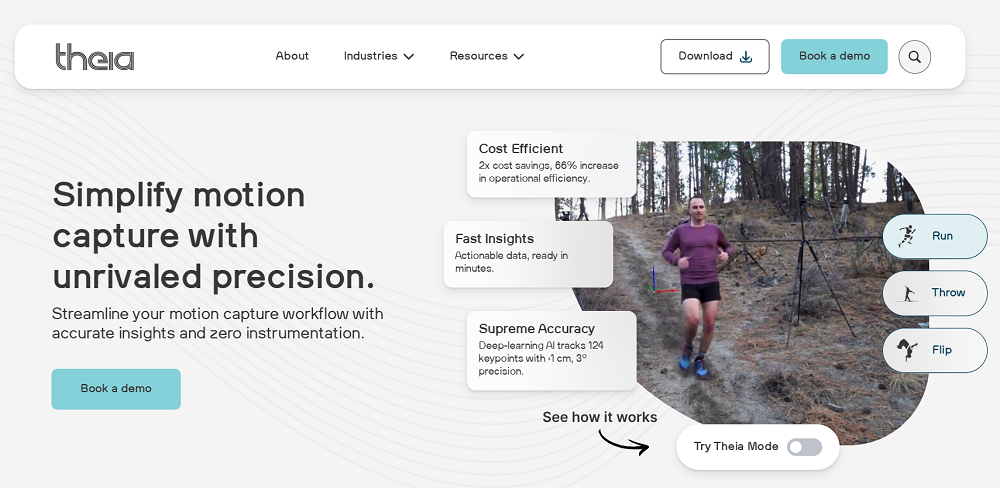
Theia3D is a markerless motion capture platform that uses video cameras and deep learning to reconstruct 3D human movement without requiring participants to wear physical markers, sensors, or specialized clothing.
Because individuals move in their normal everyday or athletic clothing, the movement Theia3D captures is natural and ecologically valid, reducing setup time by up to 80% compared to marker-based workflows.
The system has been validated in published research across a wide range of research populations, including typically developing children, older adults, and individuals with stroke, cerebral palsy, and post-ACL reconstruction. It handles not only level walking and treadmill running but also ramp walking, stair negotiation, and gait mechanics across varying speeds and other complex daily tasks, in indoor and outdoor environments.
Output is structured around International Society of Biomechanics (ISB) standards, meaning the data Theia3D produces is consistent with established scientific and research reporting conventions. Exports in .C3D, .FBX, and .JSON formats connect directly into downstream analysis environments including Visual3D, Vicon Nexus, Qualisys Track Manager, Python, and MATLAB.
Fast and Portable Setup and Environment
The most significant bottleneck in traditional gait analysis is marker placement. With marker-based systems, a technician typically spends at least 20 minutes physically attaching reflective markers to specific anatomical landmarks before a single step of data can be captured. Theia3D eliminates this entirely. Individuals need no markers, IMU sensors, or specialized clothing; they simply walk or run as they normally would, which removes preparation burden from both the practitioner and the subject.
Theia's deep learning algorithms track any subject whose anatomical features are visibly discernible in the camera images. The system identifies and tracks over 120 keypoints on the human body, enabling consistent reproducibility across sessions and research sites while eliminating the human error that comes with manually applying markers.

The underlying models were trained on over 100 million images across 1,000 diverse environments, which allows the system to accurately detect anatomical features directly from standard 2D video footage under real-world conditions.
Unlike infrared marker-based systems that require a tightly controlled, darkened laboratory environment, Theia3D can be deployed in almost any location, for instance, in outdoor athletics tracks, field houses, retail spaces, classrooms, and applied research settings. It requires a minimum of eight synchronized video cameras to calibrate and track subjects in a standard 5m x 5m capture volume.
Once cameras are positioned and connected, calibration is fully automatic. An operator stands in the center of the capture volume and waves either a standard calibration wand or Theia's proprietary calibration board (which ships with the software) then places the board on the ground at a specific spot to establish the origin point of the 3D global coordinate system.

After setup, the subject performs the movement, such as walking or running, while the cameras capture the data. Multiple subjects can be tracked at once, provided each is visible in at least three camera views. This is especially useful for analyzing dual-athlete sport tasks, team sports, and complex player interactions.
You can also specify a central person of interest in Theia's settings:
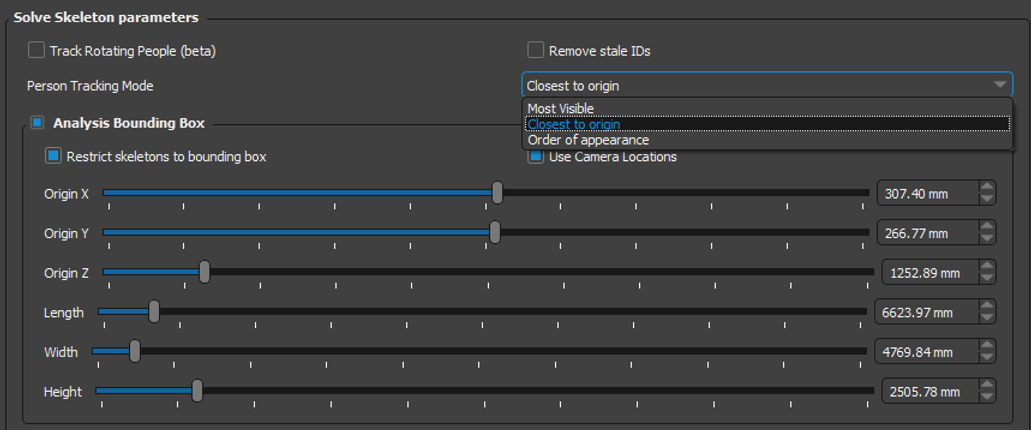
This is useful for recording crowded scenes and ensuring the software focuses on your primary subject.
From 2D Video to 3D Kinematics
Theia3D runs as a local, on-premise desktop application on consumer-grade NVIDIA GPUs. This architecture is a meaningful advantage for users with strict data privacy requirements: no video files, participant information, or analysis results are ever transmitted to Theia or any third-party cloud provider.
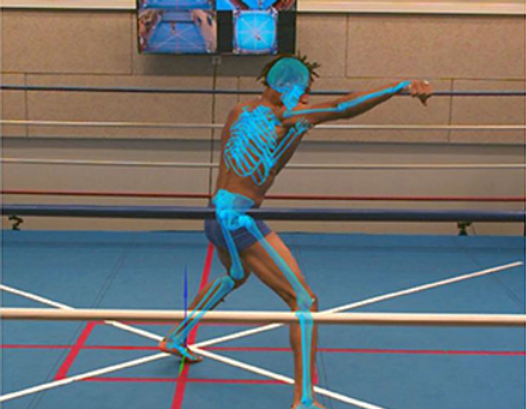
The processing pipeline works as follows:
- Users load the recorded 2D video and calibration from the synchronized cameras and Theia3D mathematically triangulates 2D keypoint detections into precise 3D landmark positions.
- A skeletal model consisting of 17 rigid body segments is then scaled and optimized to match those landmarks, representing the complete 3D pose of the subject.
- The system also automatically cleans the data, filling in tracking errors caused by occlusions, lighting changes, or missed detections and optionally smoothing the 3D poses using a Generalized Cross-Validation Spline (GCVSPL) method, before generating kinematic data exported in industry-standard formats for use in Visual3D, MATLAB, Python, and other biomechanics environments. When exporting to C3D files, the software saves both raw unfiltered poses and smoothed filtered poses, giving users the option to work with either version in their downstream analysis.
For high-volume users, Theia3D Batch is a companion application included with the core software that automates this entire pipeline at scale.
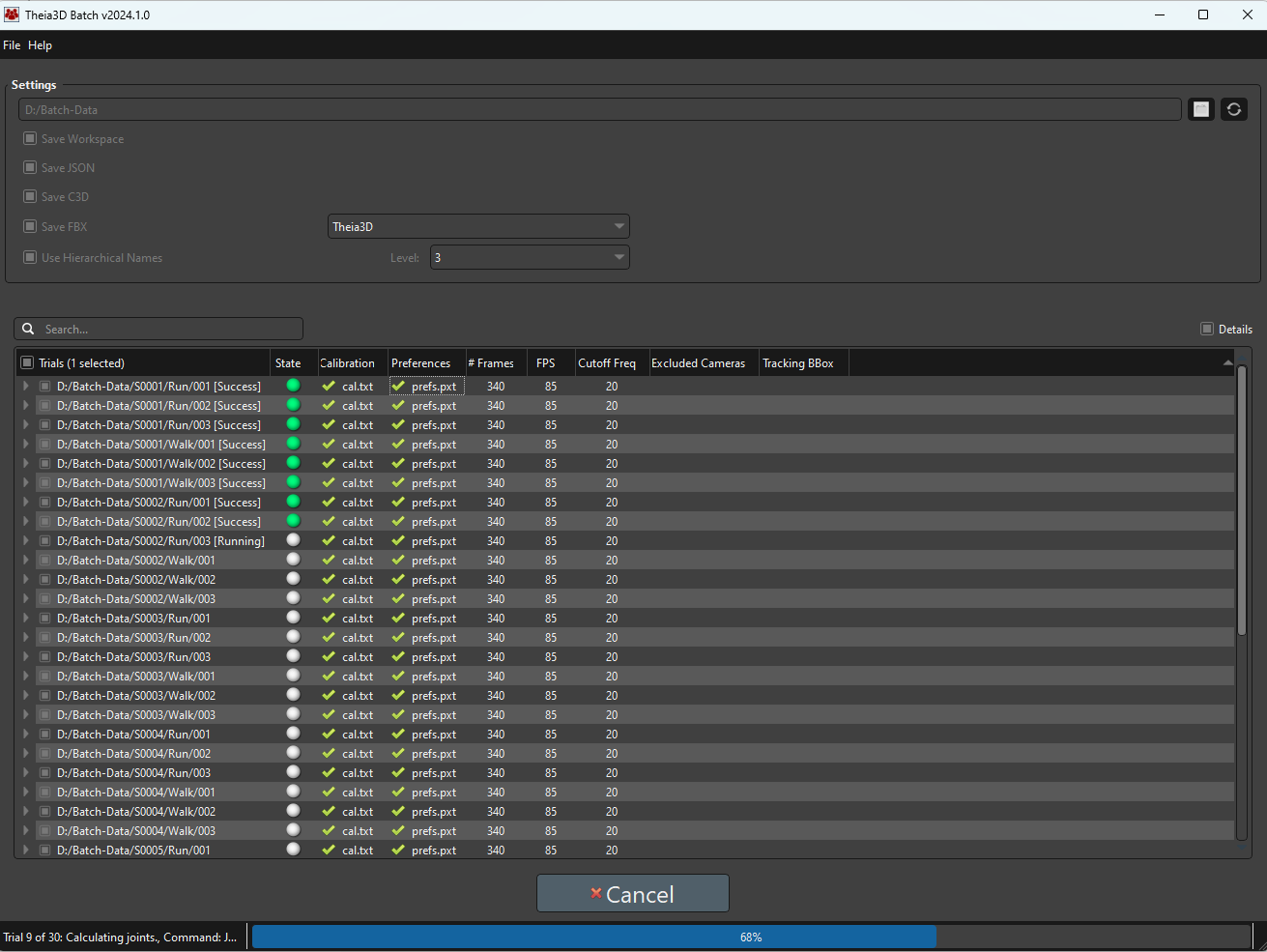
Users configure a processing pipeline once, load their trials into a directory alongside a calibration file, and the software takes over, running deep-learning tracking, 3D triangulation, and biomechanical modeling sequentially across hundreds of trials in the background without any human supervision. This significantly increases a lab or research setting's data throughput without requiring additional staff.
A Rigorously Validated Markerless System
Theia3D is backed by over 50 independent, peer-reviewed validation studies, a significant portion of which confirms its accuracy and reliability in research and applied gait biomechanics research contexts. Across this body of research, the system has demonstrated accurate tracking of spatiotemporal parameters, lower extremity kinematics, and ground reaction forces at levels comparable to gold-standard marker-based systems, along with superior inter-session repeatability and robust performance in out-of-lab community settings with varied clothing.
Several studies are worth highlighting. In walking tests with participants with chronic stroke or cerebral palsy, Theia3D closely matched marker-based motion capture for most lower-body joint measurements. Across the joint angles reported, only two RMS differences were statistically significant, the largest differences in maximum joint angles were under 4.5°, the largest differences in minimum joint angles were under 5°, and agreement was strongest in the sagittal plane.
In treadmill walking tests with healthy adults, Theia3D produced gait measurements that were very similar to those from marker-based motion capture. Joint positions were usually within about 2.5 cm, and most segment angles differed by less than 5.5°. The system also captured the same overall movement patterns across joints, showing that it can be a reliable alternative when easier and faster data collection is needed.
The system has also demonstrated the ability to estimate three-dimensional ground reaction forces during walking and running from video-based whole-body motion alone, showing strong agreement with measured forces and supporting force-free gait analysis research outside traditional lab setups. Across all movement tasks in that study, the average RMSD was 0.75 N/kg, and the model explained approximately 95 to 99 percent of the variance in measured peak forces.
In studies examining populations with knee osteoarthritis, Theia3D produced highly repeatable gait outcomes across trials and visits, with low joint-angle variability and strong repeatability for temporal-distance measures.
A separate study confirmed that normal clothing differences did not meaningfully affect gait analysis interpretation under tested conditions.
For practitioners using Theia3D, the implication is to assess research participants in conditions that reflect their real movement patterns rather than relying solely on controlled treadmill behavior, and to remain skeptical of AI gait tools with thinner validation profiles or systems that apply rigid normative benchmarks as though one movement pattern is correct for everyone.
Talk to our team to see how Theia3D can help you capture research-grade motion data without markers or wearables.
Vicon 3D Motion Capture System
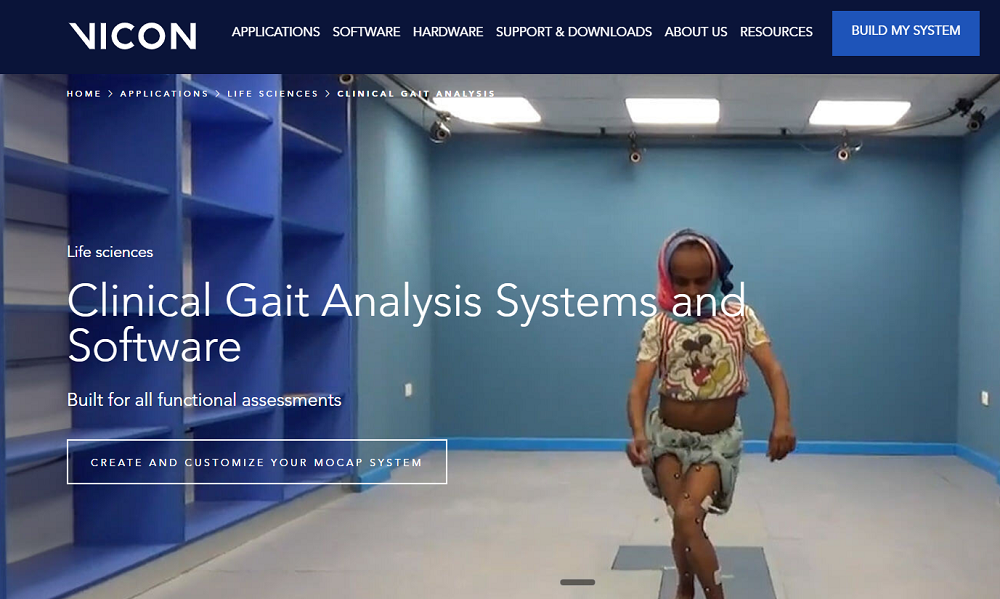
The Vicon 3D Motion Capture System captures a person's walking movement in three dimensions and converts it into measurable kinematic and kinetic data about joints, steps, and gait phases.
It helps clinicians and researchers identify deviations from normal walking, assess lower-limb mechanics, and support diagnosis, rehabilitation, orthotics, and movement research.
Key Features
- Vicon provides precise tracking of lower-limb motion in three dimensions rather than relying only on visual observation.
- It uses reflective markers and a structured anatomical model to compute joint kinematics and kinetics.
- It supports identification of foot strike, toe-off, stance time, swing time, step time, and double support time.
- The software produces gait reports and supports standard models such as Plug-in Gait, CGM2, and foot models for clinical interpretation.
- Vicon combines optical motion capture with force plates, EMG, inertial sensors, and video for a fuller biomechanical picture.
- Automated labeling, gap detection, calibration tools, and pipeline preparation to speed analysis and reduce manual work.
Helix 3D by RunDNA
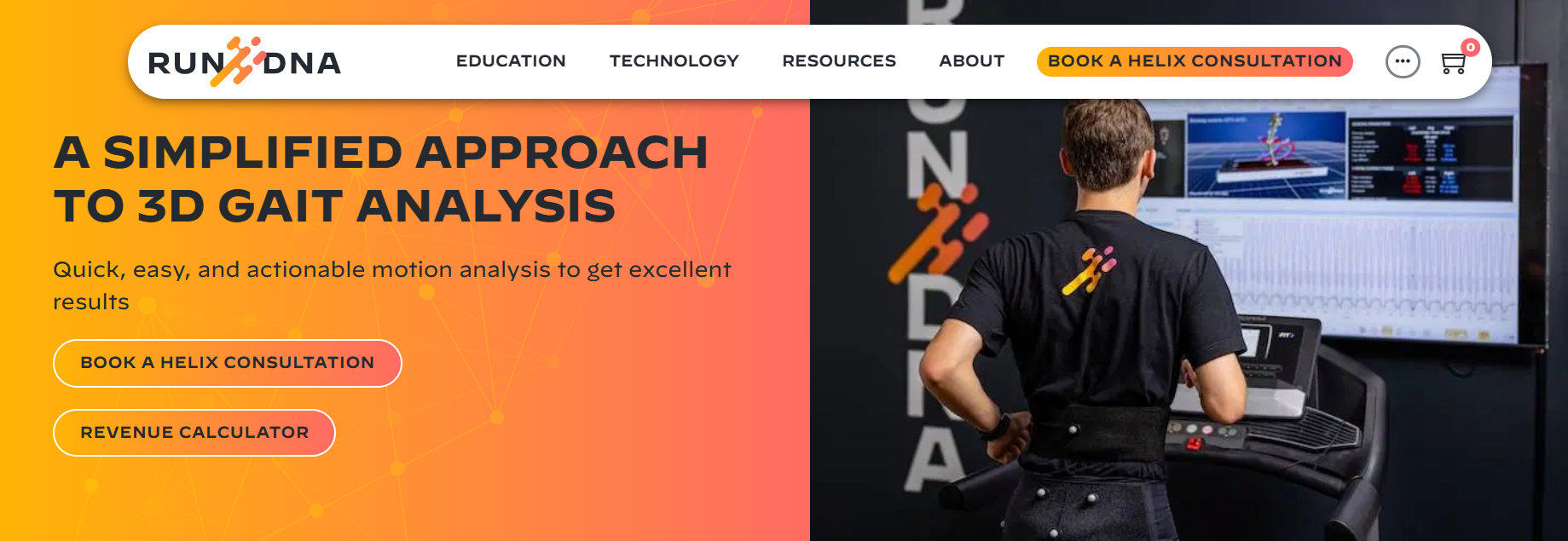
Helix 3D analyzes walking and running mechanics with marker-based motion capture and infrared/optical camera tracking, creating a three-dimensional model of movement. It helps practitioners identify issues such as asymmetry, compensation patterns, joint misalignment, and inefficient movement that may not be obvious from visual observation alone.
The system is aimed at both injury prevention and performance optimization, so it's useful for runners, walkers, and rehab patients.
Key Features
- Uses 3D motion capture to provide a three-dimensional view of gait, including depth and rotation (not just flat video).
- Works with reflective markers that are placed on body landmarks so the system can track movement precisely.
- Provides real-time analysis for clinicians to review movement live and give immediate feedback during gait retraining.
- The system evaluates more than 60 data points to generate actionable kinematic data.
- Uses biomechanical metrics that assess stride length, joint angles, symmetry, rotation, cadence, and gait timing.
- Generates reports quickly and can pair findings with corrective programs through the RunDNA portal.
- RunDNA says a full analysis, reporting, and program setup can be completed in about 10 minutes.
Ochy

Ochy is a smartphone-based running and gait analysis app that turns a short video into biomechanical insights about how someone runs. It's designed to help runners and coaches improve performance, spot inefficiencies, and reduce injury risk.
Ochy analyzes running form from video using AI and computer vision, then converts that into a gait assessment with metrics and coaching insights. It focuses on movement patterns such as posture, foot strike, joint angles, stride characteristics, and asymmetries.
Key Features
- Smartphone video analysis, no wearables required, with fast results, often in under 60 seconds or within minutes.
- AI-powered biomechanical metrics, including cadence, ground contact time, flight time, stride length, vertical oscillation, foot landing, and joint angles.
- Detection of gait events and mechanics such as footstrike, toe-off, overstride, pronation, pelvic tilt, knee position, and body alignment.
- Personalized analysis tailored to factors like height, weight, speed, and biomechanics.
- Practical recommendations and exercises based on strengths, weaknesses, and injury-risk patterns.
- Progress tracking over time as users upload new videos.
Sensor & Force-Based Systems for Gait Analysis
These systems rely on data from physical sensing hardware, such as wearable IMUs, pressure plates, walkways, or force-measuring devices, to quantify movement, loading, timing, symmetry, and other kinetic or sensor-derived gait metrics.
Runeasi
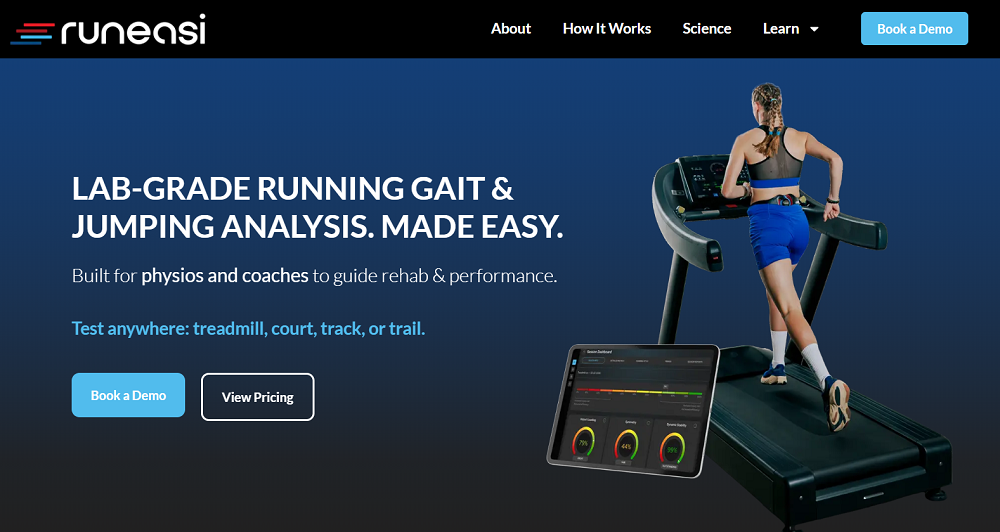
Runeasi uses a wearable sensor and software to give objective feedback on how someone runs. It helps clinicians, coaches, and runners spot inefficiencies, asymmetries, and injury risk factors, then turn that data into practical guidance.
It also measures running mechanics outside a lab, so it can be used on a treadmill, track, court, or trail. It captures real-time biomechanical data during a run and turns it into an easy-to-read running quality assessment.
Key Features
- Impact loading indicates how much force the body absorbs and how efficiently it absorbs it.
- The software measures side-to-side hip movement and how well the runner stabilizes during ground contact.
- It compares left and right leg behavior across key gait metrics.
- Runeasi offers a fast setup allowing subjects to get ready in under 60 seconds.
- Instant reports provide client-friendly analysis and actionable recommendations quickly.
- Gait retraining lets practitioners test cues in real time to see which coaching cue works best.
- Provides a running quality score to identify a runner's weakest link.
GAITRite

GAITRite is a portable electronic walkway system designed for precise gait analysis in clinical and research settings. It uses a pressure-sensitive mat with embedded sensors to capture and quantify spatiotemporal parameters of human walking, helping clinicians assess mobility, balance, and fall risk objectively.
The system records footfall data as individuals walk across the mat, sampling sensor activations every 26-31 milliseconds. Software then processes this into over 70 gait metrics, including velocity, cadence, stride length, step time, stance/swing phases, and variability measures, enabling quick performance tracking and progress reports.
Key Features
- Measures active areas typically 5-8 meters long with thousands of sensors for accurate footprint identification and quadrilateral foot shape analysis.
- Generates bilateral/unilateral reports on temporal (e.g., step time, double support), spatial (e.g., stride width), and phase parameters (e.g., single support time); supports manual corrections for aids like crutches.
- Exports to Excel/PDF, includes video replay, normative comparisons, and integration with external devices; handles multiple walks for variability stats.
- Rollable mat setup requires minimal training; used in neurology, geriatrics, and orthopedics for real-time data in trials or rehab.
Strideway by Tekscan
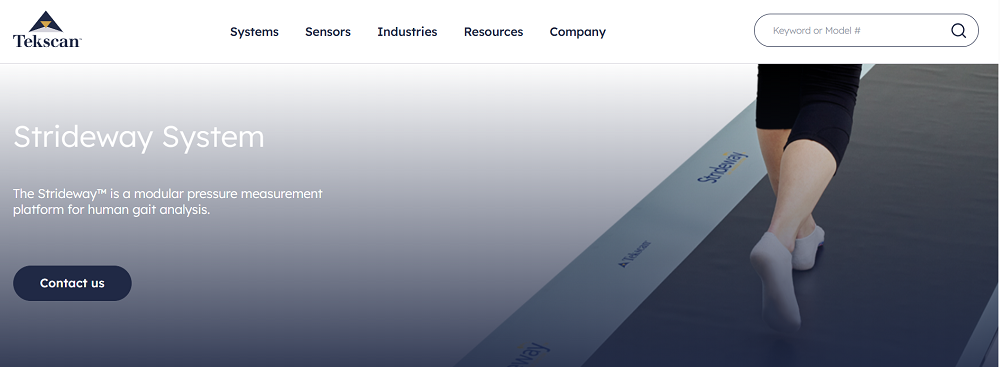
Strideway is a modular pressure-sensing walkway system designed for precise human gait analysis in clinical and research settings. It captures detailed data on force, plantar pressure, temporal parameters (like step/stride time and cadence), spatial metrics (such as distance and velocity), and kinetic information from multiple sequential footsteps in a single pass, enabling natural gait assessment without targeting.
Key Features
- Modular design offers scalable lengths from ~1.3m to 5.2m by adding/removing tiles, with resolution options like 0.97 sensels/cm² (standard) or 3.88 sensels/cm² (high for pediatrics); low-profile and wide for safety with walkers.
- It calculates gait parameters, detects foot strikes (left/right labeling), segments feet for toe-in/out angles, and generates symmetry/differential reports.
- Syncs with EMG, motion capture; it also offers quick setup with wheeled storage and calibrated pressure/force data.
Built for Real-World Gait Biomechanics Research
Contact us to see how gait analysis can run without markers, lengthy setup, or manual processing. We'll walk through how the system fits into research and performance environments and what changes in your day-to-day workflow.
Disclaimer: This article summarizes motion analysis approaches for research and performance applications. Theia3D is a motion analysis software platform and is not intended to diagnose or treat medical conditions. Interpretation and application of results are the responsibility of the user.